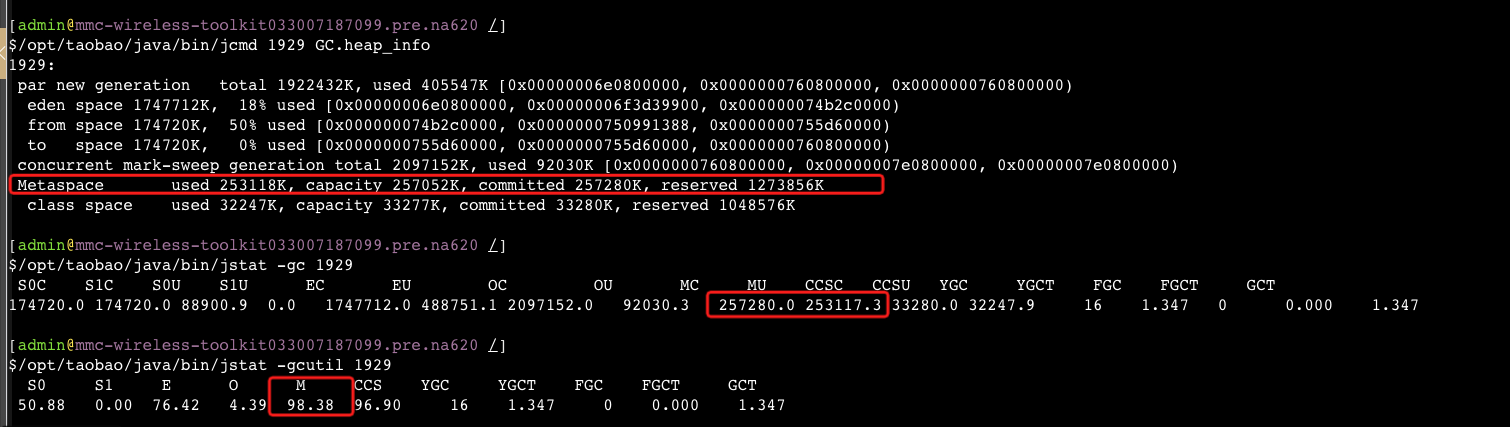
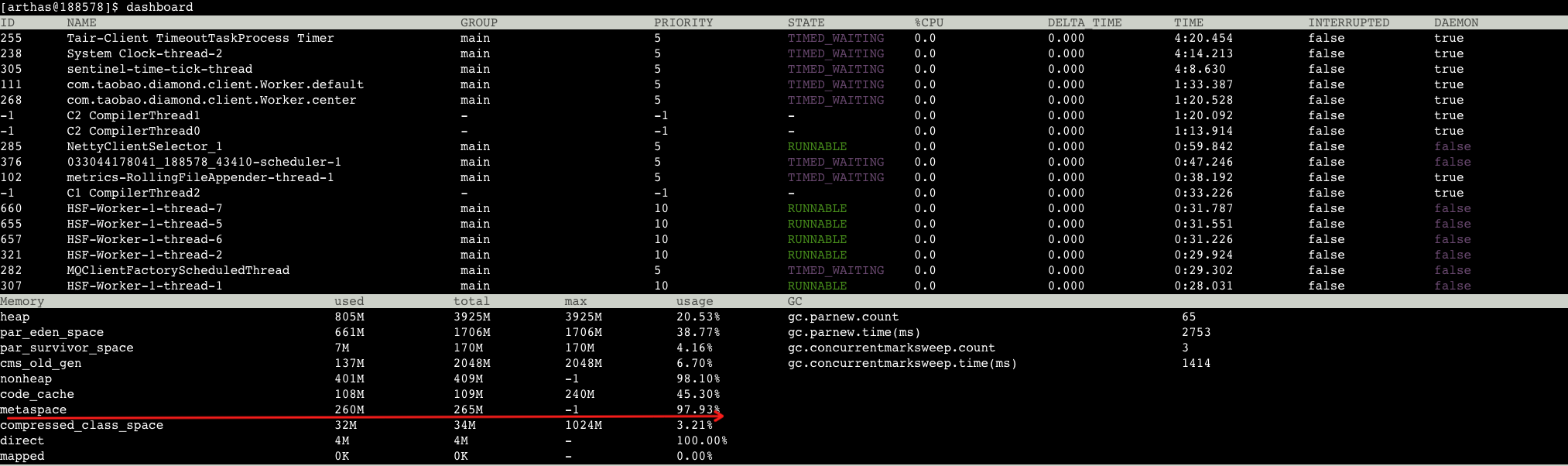
$/opt/xxx/java/bin/jstat -gcutil 188578 OpenJDK 64-Bit Server VM warning: bad AJDK_MAX_PROCESSORS_LIMIT value 4 OpenJDK 64-Bit Server VM warning: bad AJDK_MAX_PROCESSORS_LIMIT value 4 OpenJDK 64-Bit Server VM warning: bad AJDK_MAX_PROCESSORS_LIMIT value 4 S0 S1 E O M CCS YGC YGCT FGC FGCT GCT 0.00 5.10 15.48 6.56 97.87 96.00 49 2.424 5 1.415 3.839
利用率的确比较高了,查看下大小:
$/opt/xxx/java/bin/jstat -gc 188578 OpenJDK 64-Bit Server VM warning: bad AJDK_MAX_PROCESSORS_LIMIT value 4 OpenJDK 64-Bit Server VM warning: bad AJDK_MAX_PROCESSORS_LIMIT value 4 OpenJDK 64-Bit Server VM warning: bad AJDK_MAX_PROCESSORS_LIMIT value 4 S0C S1C S0U S1U EC EU OC OU MC MU CCSC CCSU YGC YGCT FGC FGCT GCT 174720.0 174720.0 7397.6 0.0 1747712.0 354401.7 2097152.0 137568.0 263396.0 257330.6 33852.0 32424.2 46 2.372 5 1.415 3.787
init	represents the initial amount of memory (in bytes) that the Java virtual machine requests from the operating system for memory management during startup. The Java virtual machine may request additional memory from the operating system and may also release memory to the system over time. The value of init may be undefined.
used	represents the amount of memory currently used (in bytes).
committed	represents the amount of memory (in bytes) that is guaranteed to be available for use by the Java virtual machine. The amount of committed memory may change over time (increase or decrease). The Java virtual machine may release memory to the system and committed could be less than init. committed will always be greater than or equal to used.
max	represents the maximum amount of memory (in bytes) that can be used for memory management. Its value may be undefined. The maximum amount of memory may change over time if defined. The amount of used and committed memory will always be less than or equal to max if max is defined. A memory allocation may fail if it attempts to increase the used memory such that used > committed even if used <= max would still be true (for example, when the system is low on virtual memory).
Below is a picture showing an example of a memory pool:
        +----------------------------------------------+
        +////////////////           |                  +
        +////////////////           |                  +
        +----------------------------------------------+

        |--------|
           init
        |---------------|
               used
        |---------------------------|
                  committed
        |----------------------------------------------|
                            max